
Load and truck exchange
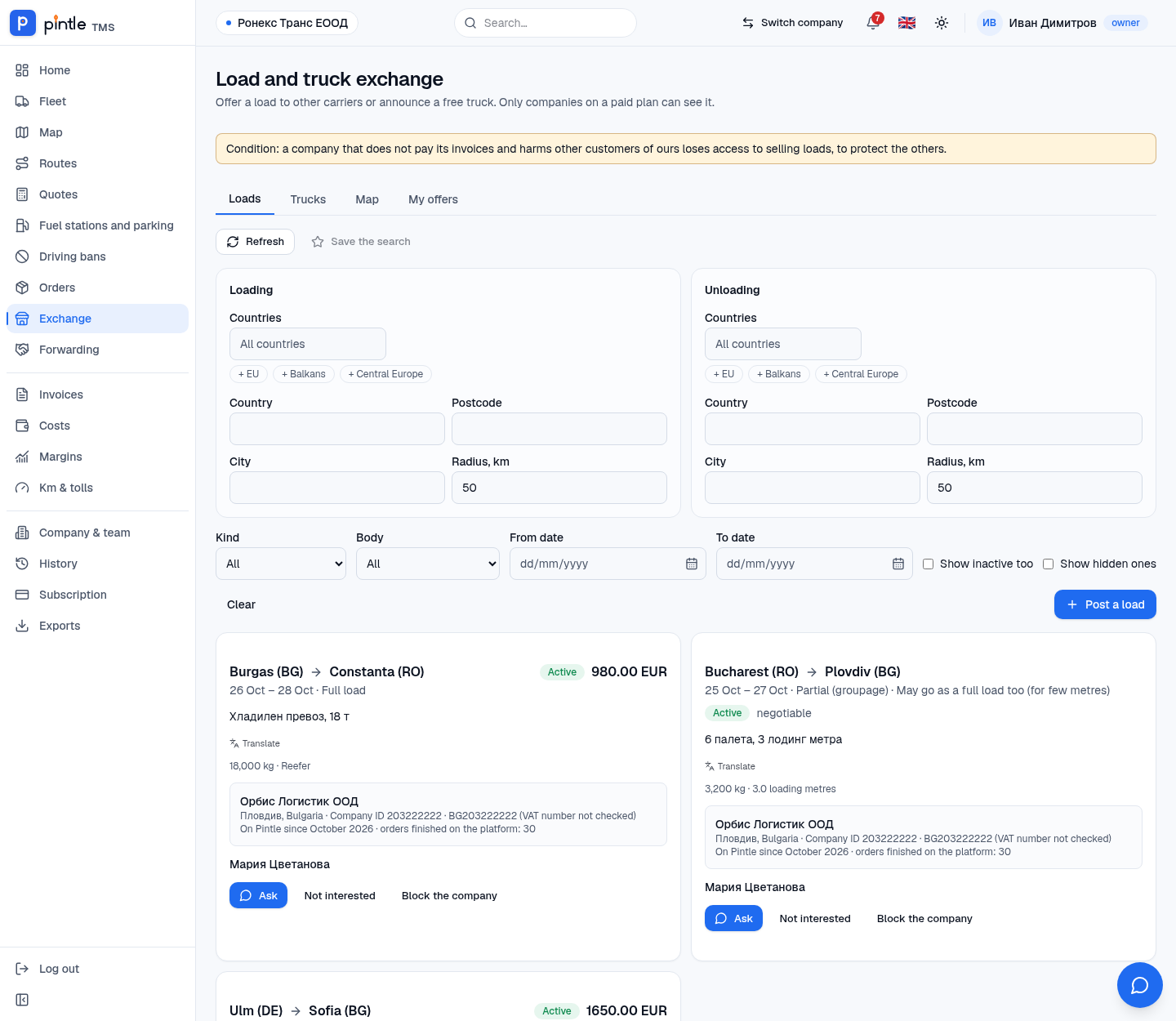
The Exchange is where carriers offer each other loads and free trucks. Only companies on a paid plan can see it.
What is in it
Section titled “What is in it”- Loads — loads that other companies are looking for someone to carry.
- Trucks — free trucks announced by other companies.
- Map — the same offers on the map.
- My offers — everything you published: you can edit it, close it or bring it back.
How to search
Section titled “How to search”The search is by loading and unloading separately. You pick countries (with the shortcuts + EU, + Balkans, + Central Europe) or an exact place: a country, a postcode or a city with a radius in kilometres. You can narrow it by the kind of load (full or partial), the body and the period.
Keep a search you like with Save the search. When an offer appears that matches it, you get an alert in your notifications.
Publishing
Section titled “Publishing”- From the order press Publish on the exchange, or from the exchange itself Post a load (for a truck — Post a truck in the Trucks tab).
- The places and dates of loading and unloading, the kind of load, weight and price are filled in from the order. Show in the offer chooses what is visible — the customer, their data and the exact street addresses stay hidden.
- Press Publish. Other paid companies see the offer until you close it or it expires.
The first time you accept the terms of the exchange — the owner or the transport manager does this. Owners, transport managers and dispatchers publish offers.
In the offer, other companies see your company’s data — name, company ID and VAT number, since when you are on Pintle and how many finished orders you have on the platform. That is how the other side decides whom they are writing to. Your phone and e-mail are not shown unless you explicitly switch them on for the offer; otherwise they write to you in the exchange’s chat. The phone must be confirmed with an SMS code (in Profile) only if you want to show it.
Getting in touch
Section titled “Getting in touch”The Ask button opens a conversation with the company in Messages. If an offer does not interest you, press Not interested (hides it for you only) or Block the company to stop seeing its offers. Hidden ones come back with Show hidden ones. An offer in a language you do not read is read with the Translate button.