
Documents and deadlines
Every vehicle and trailer has its documents recorded — with a validity, so that nothing expires unnoticed.
What is kept
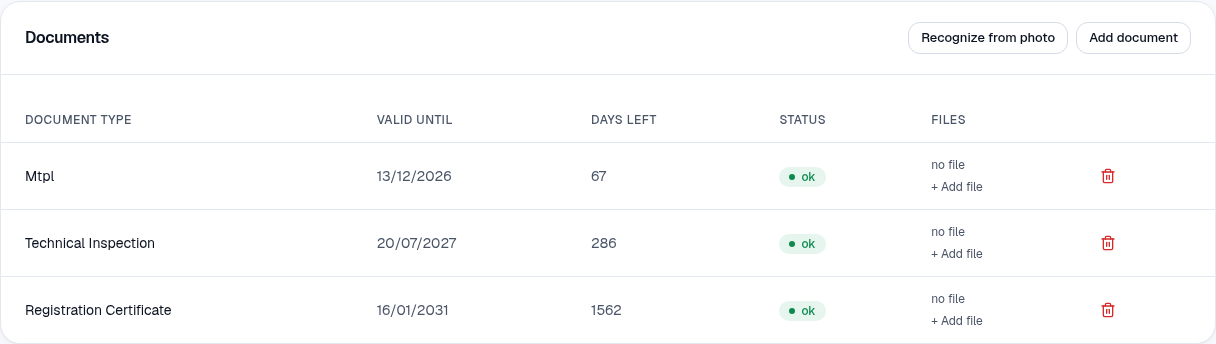
Section titled “What is kept”The system knows 52 kinds of documents for vehicles, trailers, drivers and the company: registration certificate, annual technical inspection, third-party liability, comprehensive (Casco), ADR, Community licence, vignette, tax, tachograph, ATP and others. Each has a valid until, days left and a status: ok, expiring soon, expired or no expiry.
Adding a document
Section titled “Adding a document”- On the vehicle’s page, in the Documents block, press Add document.
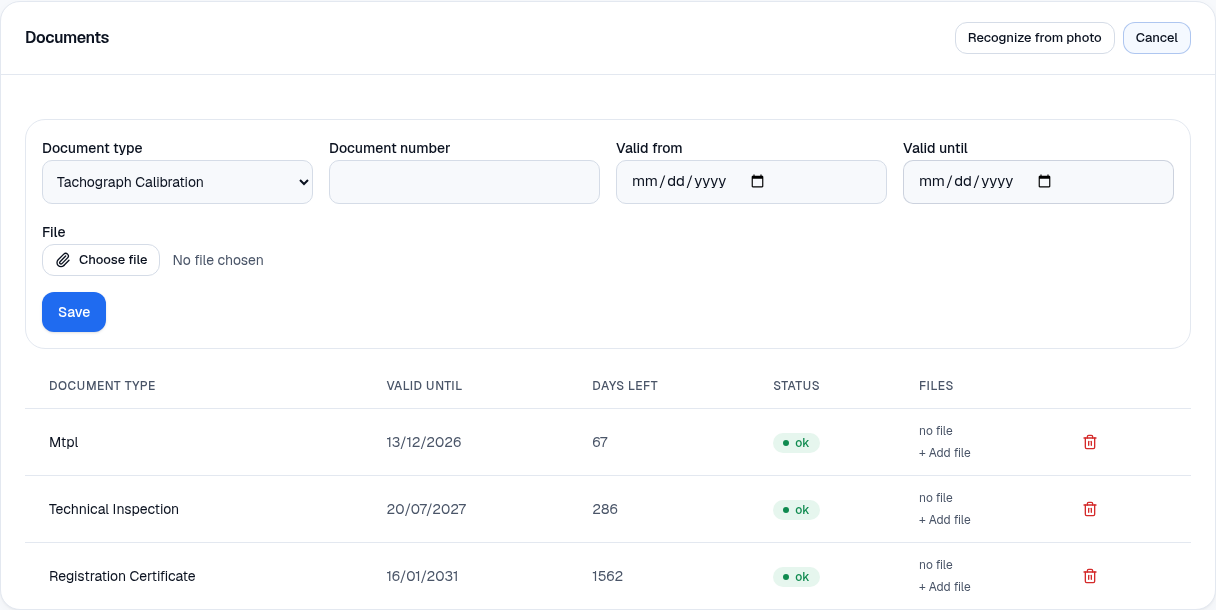
- Choose the Document type, enter the Document number and Valid from / to.
- If you wish, choose a File (a photo or a PDF) and press Save. A file can also be added later with + Add file.
Reading from a photo
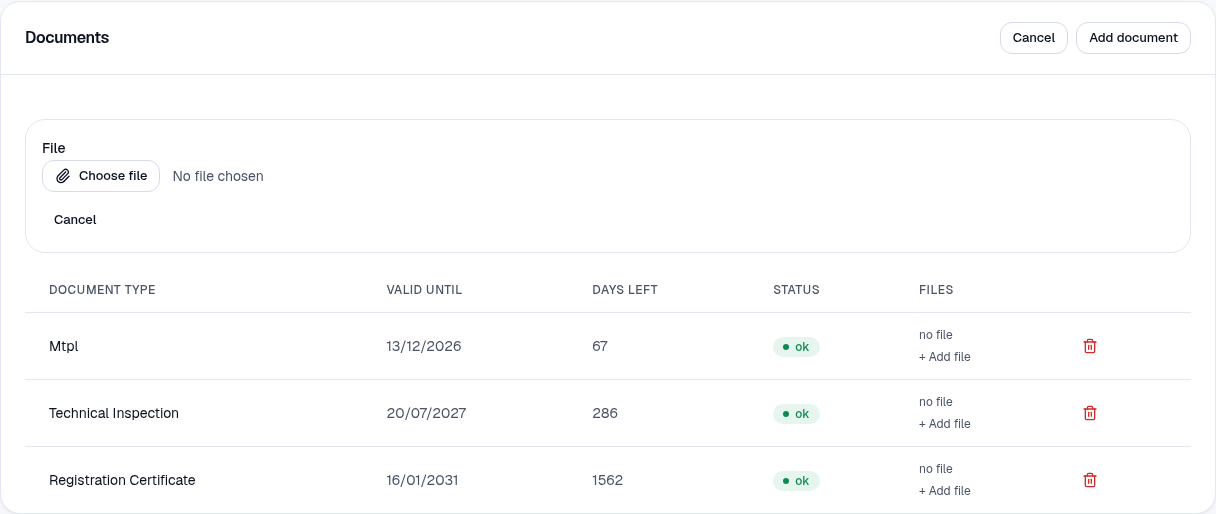
Section titled “Reading from a photo”Press Recognize from photo, choose a File (a photo or a PDF of the document) and wait a few seconds. The system proposes the type, number, issuer, country and deadlines. You check and confirm — or reject with a reason. If the photo is poor, the warning tells you to check the fields carefully.
The compliance overview
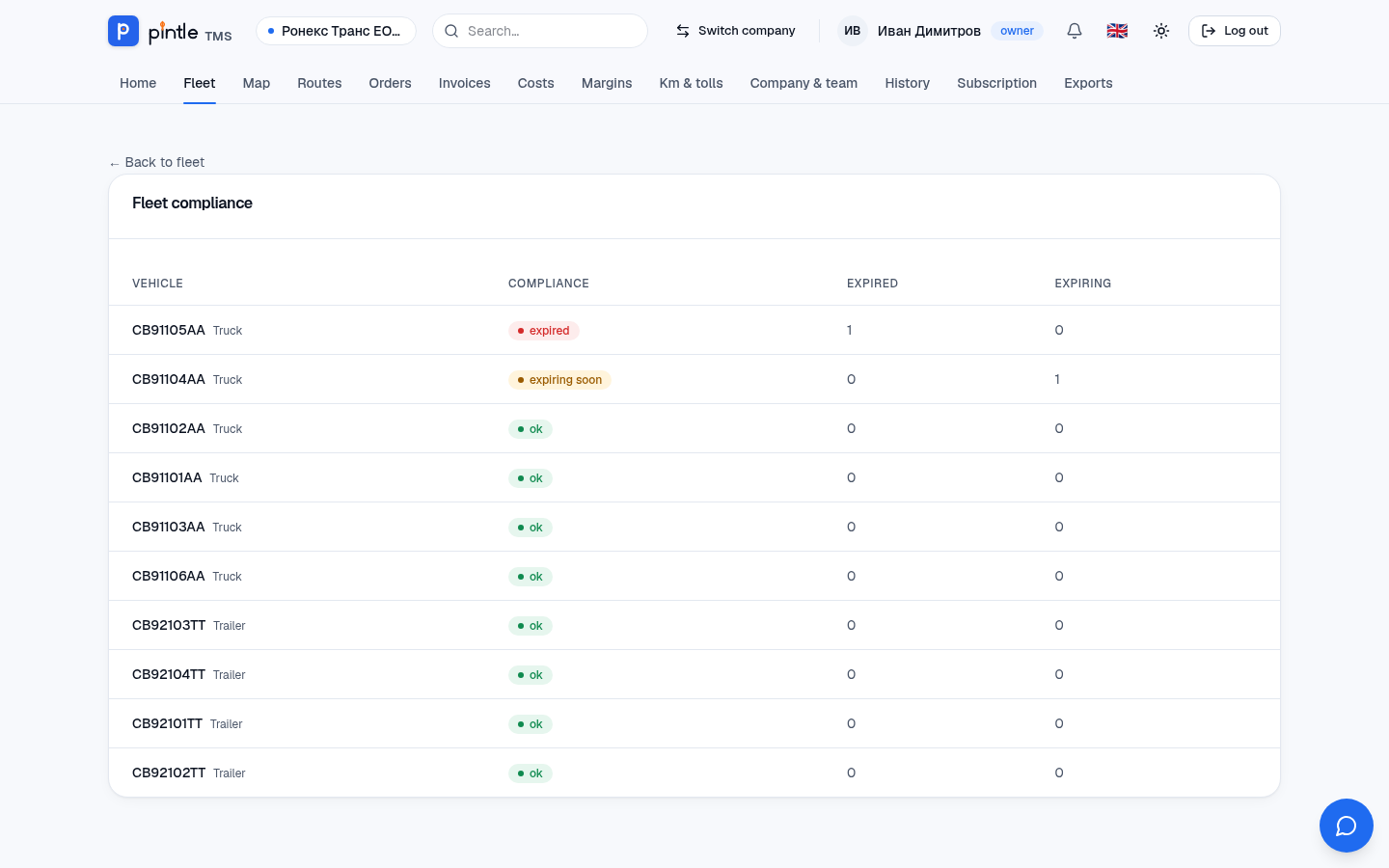
Section titled “The compliance overview”Fleet → Compliance shows all vehicles with how many documents have expired and how many expire soon — handy to review once a week.
Notifications
Section titled “Notifications”Before a deadline passes you get a notification in the bell (and in the paid plans an e-mail too). On the home screen Needs attention shows the same: for example “1 document has expired” with a link to the vehicle.