
Vehicles and trailers
The fleet is where everything about each vehicle is: data, documents, deadlines, maintenance, mileage, position and photos.
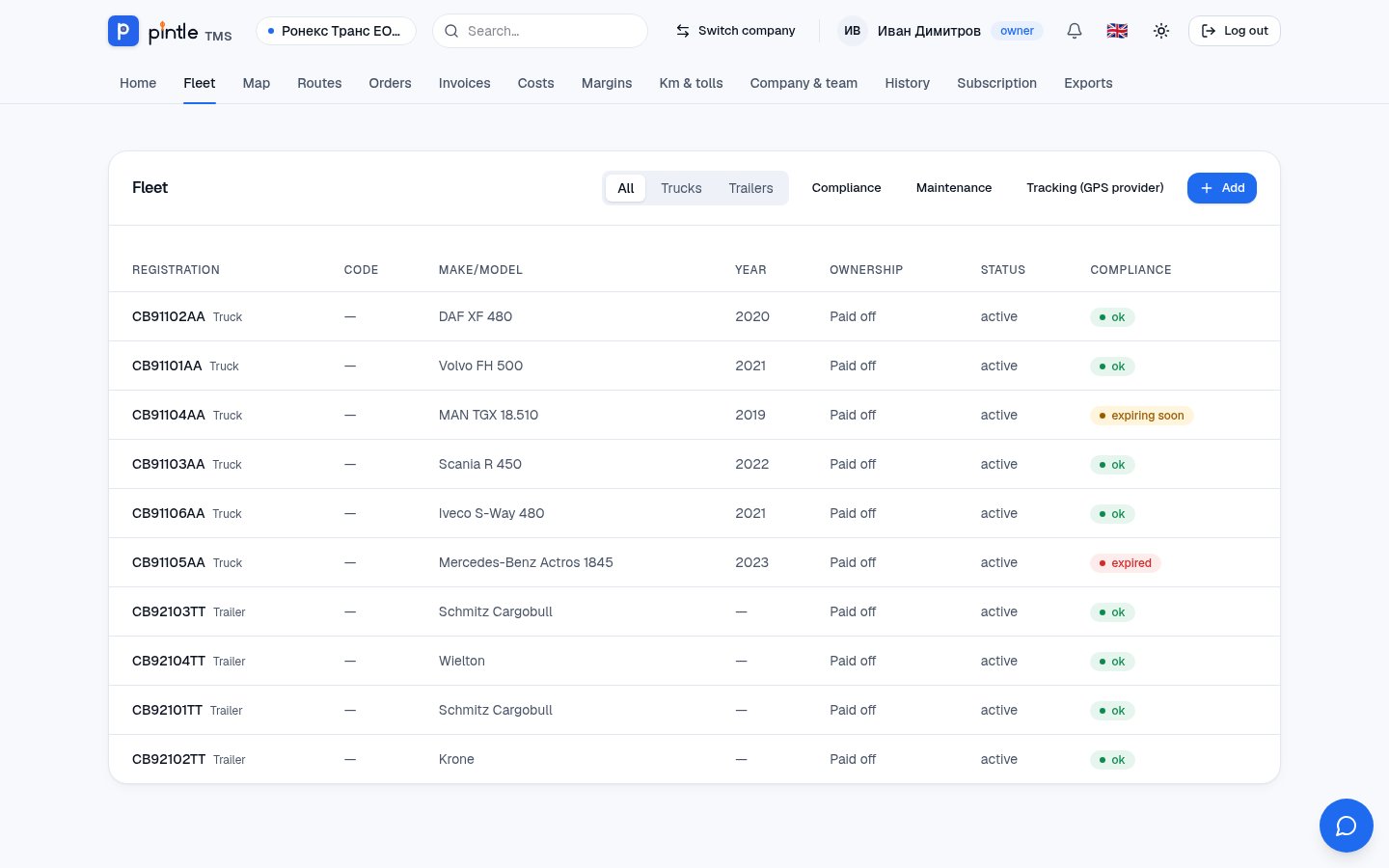
The list
Section titled “The list”In Fleet you see all tractors, trucks, vans, cars and trailers. Filter with All / Trucks / Trailers. The Compliance column shows by colour whether the vehicle’s documents are in order (ok, expiring soon, expired). The buttons at the top lead to the overviews Compliance, Maintenance and Tracking (GPS provider).
Adding
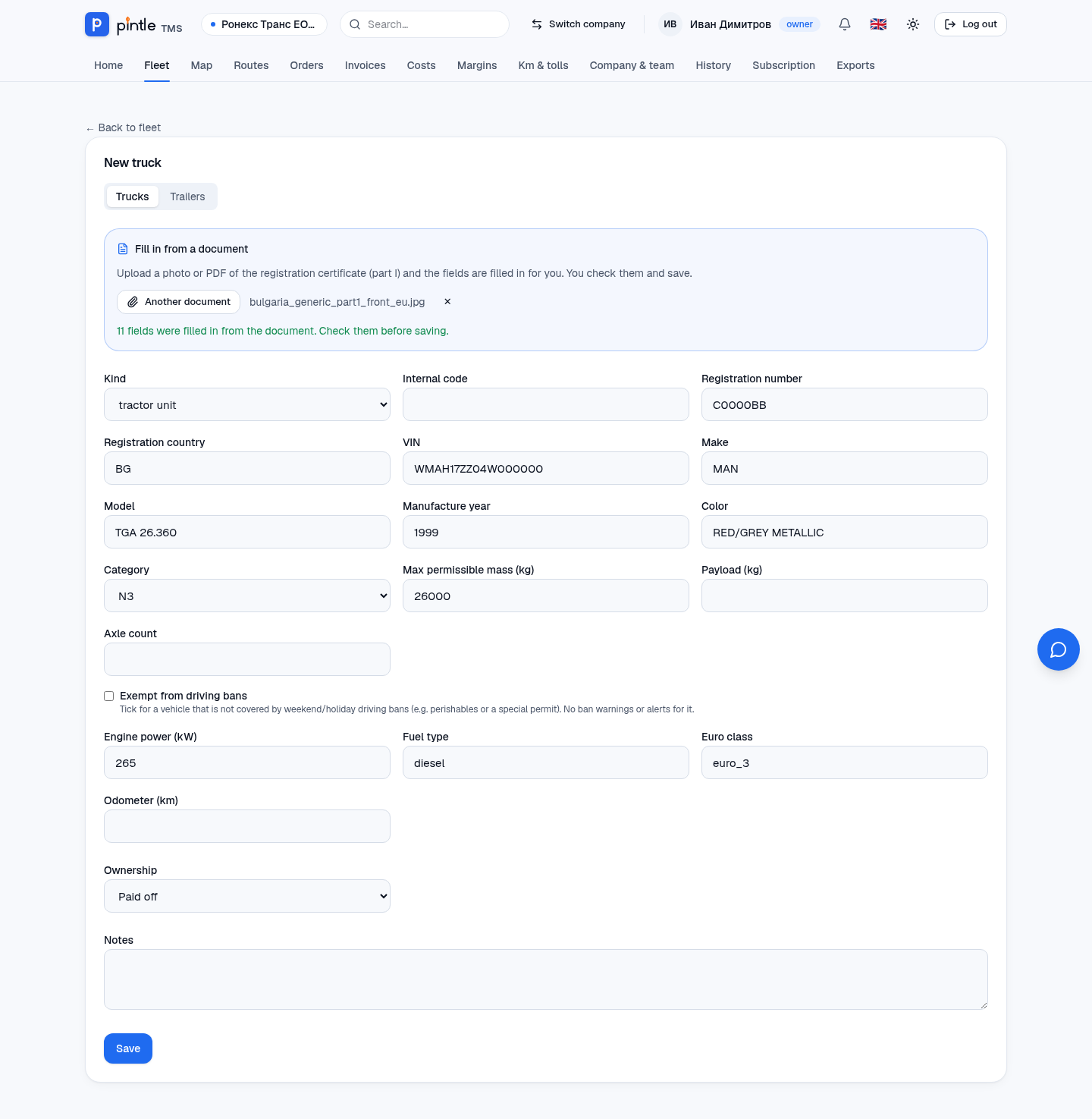
Section titled “Adding”- Press Add. Choose whether it is a vehicle or a trailer.
- Faster: in the Fill in from a document block upload a photo or a PDF of the registration certificate (part I). The system reads it and fills in the fields. Check them and correct them if needed.
- Complete the rest: internal code, number of axles, payload, mileage, ownership.
- Save.
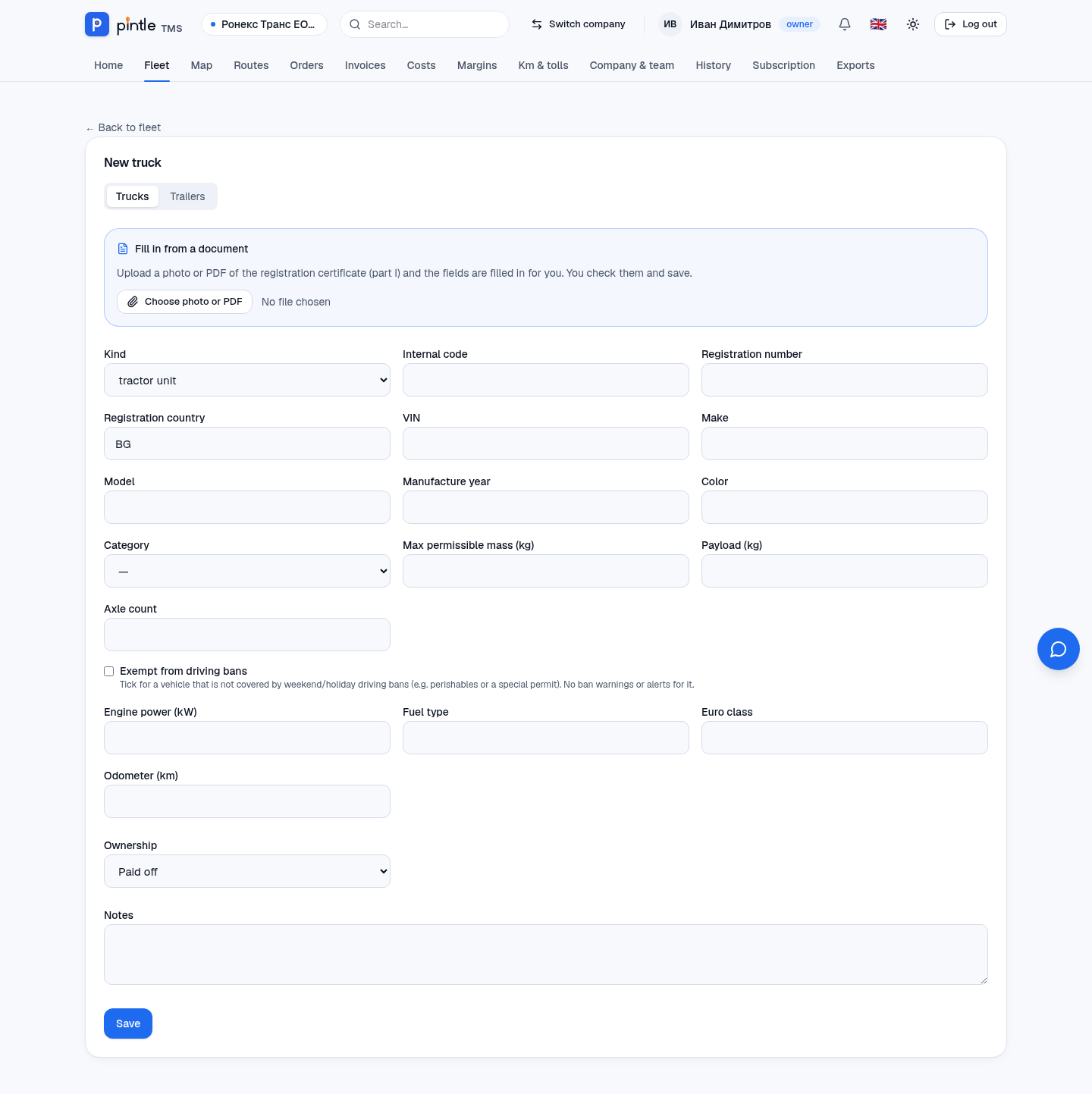
What it looks like when the certificate is read
Section titled “What it looks like when the certificate is read”Here is what happens with a photo of a registration certificate. After uploading, within a few seconds the system fills in 11 fields: plate, country, VIN, make, model, year, colour, category, maximum mass, power, fuel and Euro class. All that is left is to check them and press Save.
The vehicle’s page
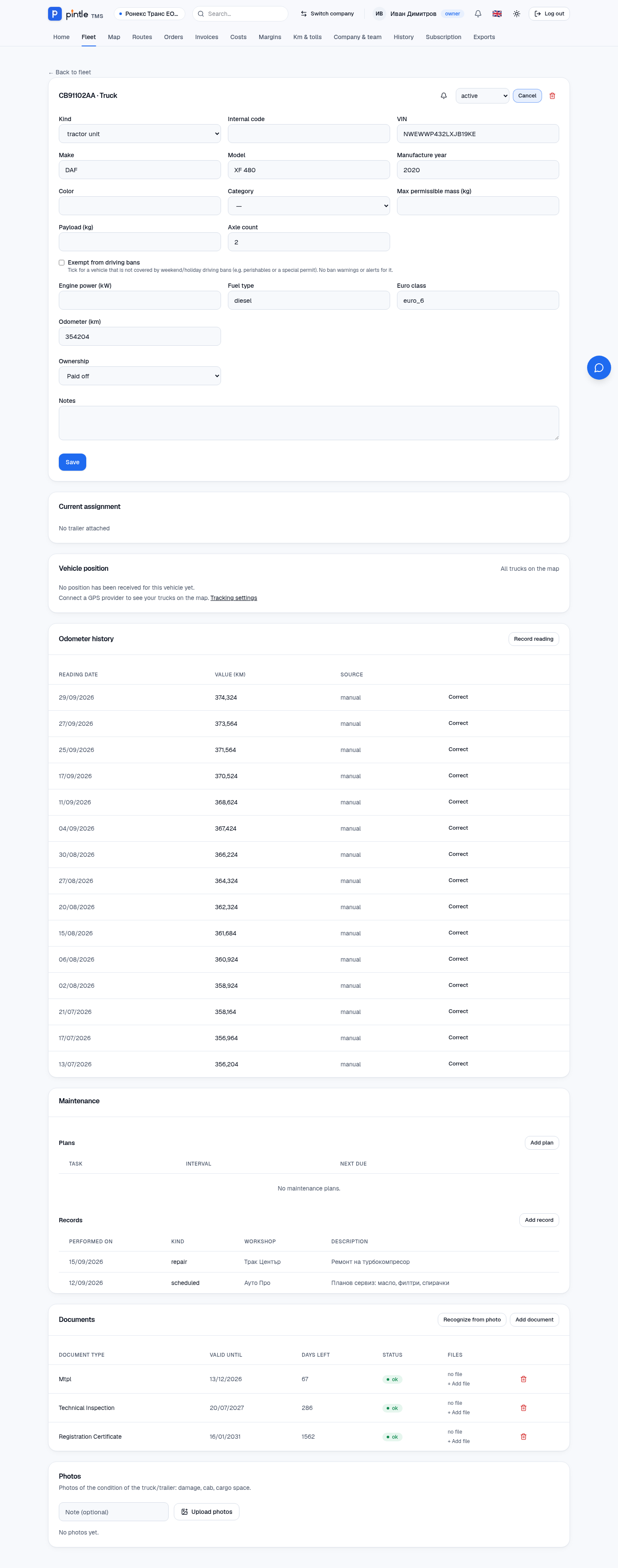
Section titled “The vehicle’s page”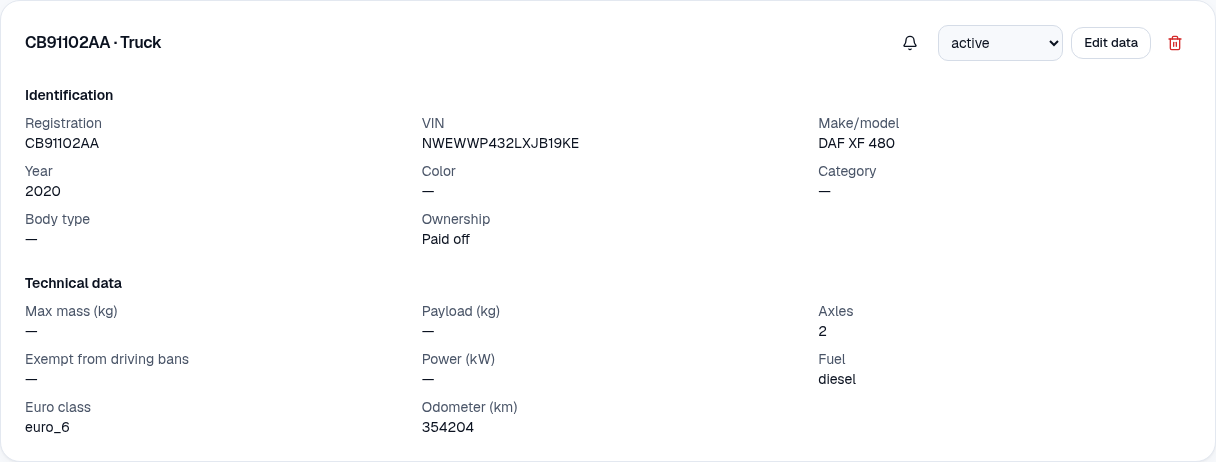
- Identification — plate, VIN, make/model, year, ownership.
- Technical data — weights, axles, fuel, Euro class, power, mileage; exempt from driving bans (for the routes).
- Ownership — owned, leased, rented or a subcontractor’s; for a lease the lessor and the end of the contract are recorded.
- Status — active or another; from the drop-down at the top.
- Current assignment — which trailer is hitched and who the driver is.
- Vehicle position — the last position from the GPS system, if you have connected it (Routes and GPS).
With Edit data you change the data; the bin deletes the vehicle (it can be restored).
Editing
Section titled “Editing”Edit data opens the same form with the values filled in: you change the make, year, ownership, technical data and notes. The vehicle’s state is changed from the drop-down next to the button.
Combinations and drivers
Section titled “Combinations and drivers”A tractor is linked to a trailer in Current assignment — this way routes are calculated from the dimensions and weight of the whole combination. The truck’s main driver is recorded as well.