
Expenses and margins
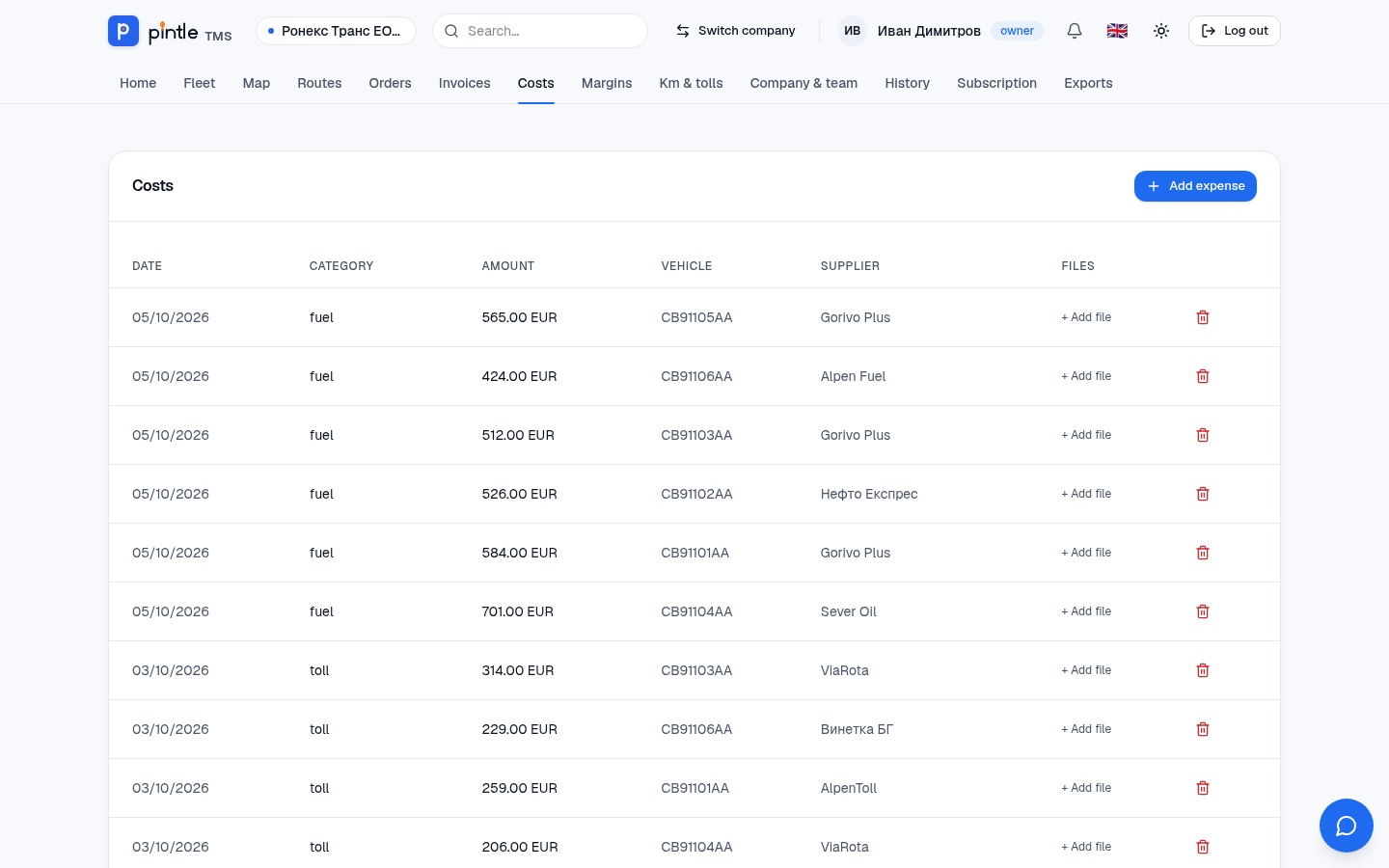
In Costs you record fuel, tolls, insurance, parking, fines, repairs and others. Every expense has a date, an amount, a currency, a category and — if you wish — a vehicle, a course and a photo of the document.
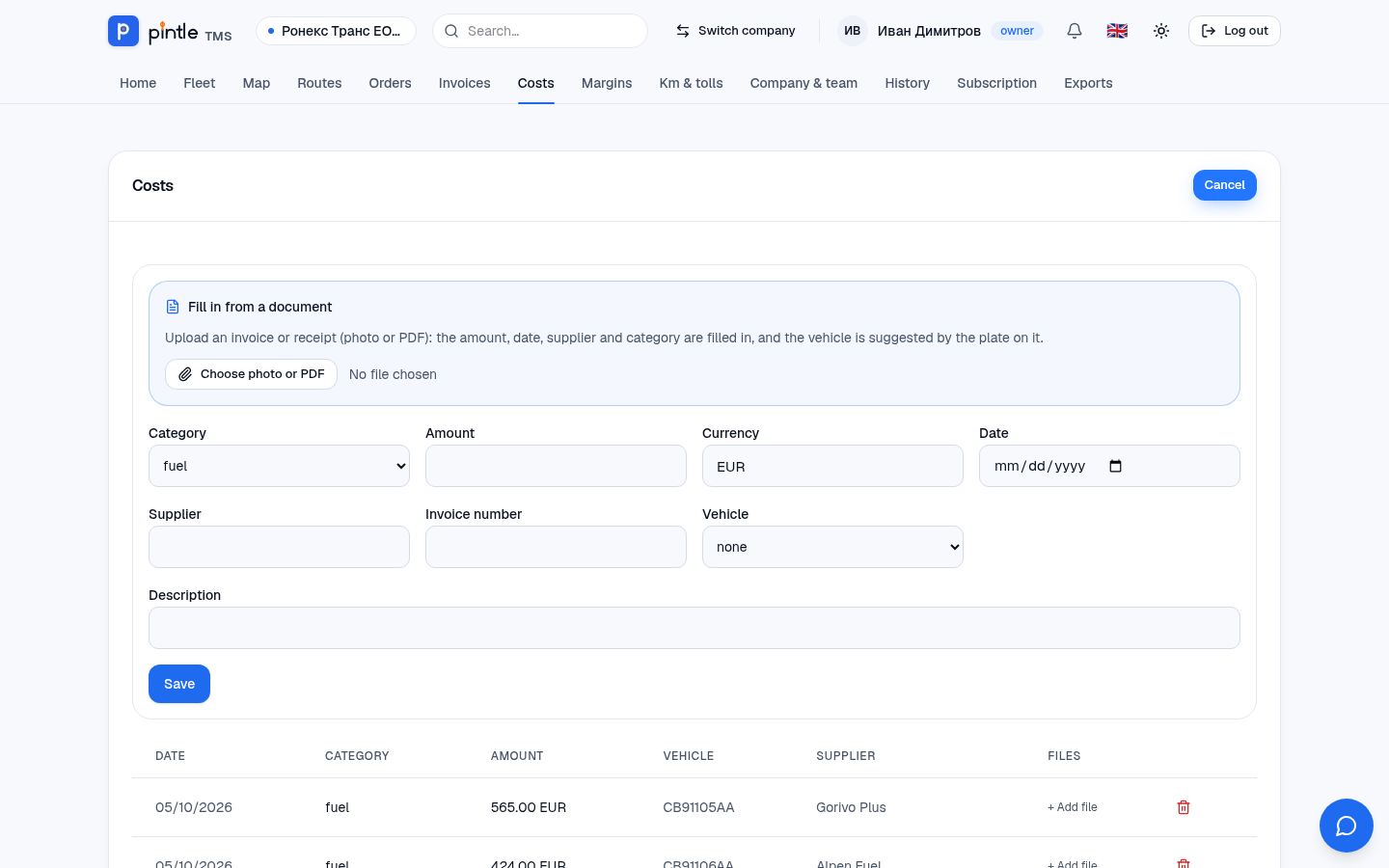
- Press Add expense.
- In the Fill in from a document block choose a photo or a PDF of the invoice or the receipt — the system fills in the fields from it for your check.
- Check or enter: Category, Amount, VAT (if recoverable), Currency, Date, Seller, Invoice number, Vehicle and Description.
- Press Save. A file can also be added later with + Add file.
A course expense is also added straight from the course — Add cost in the Course costs and profit block. This way the course’s profit is seen at once.
Margins
Section titled “Margins”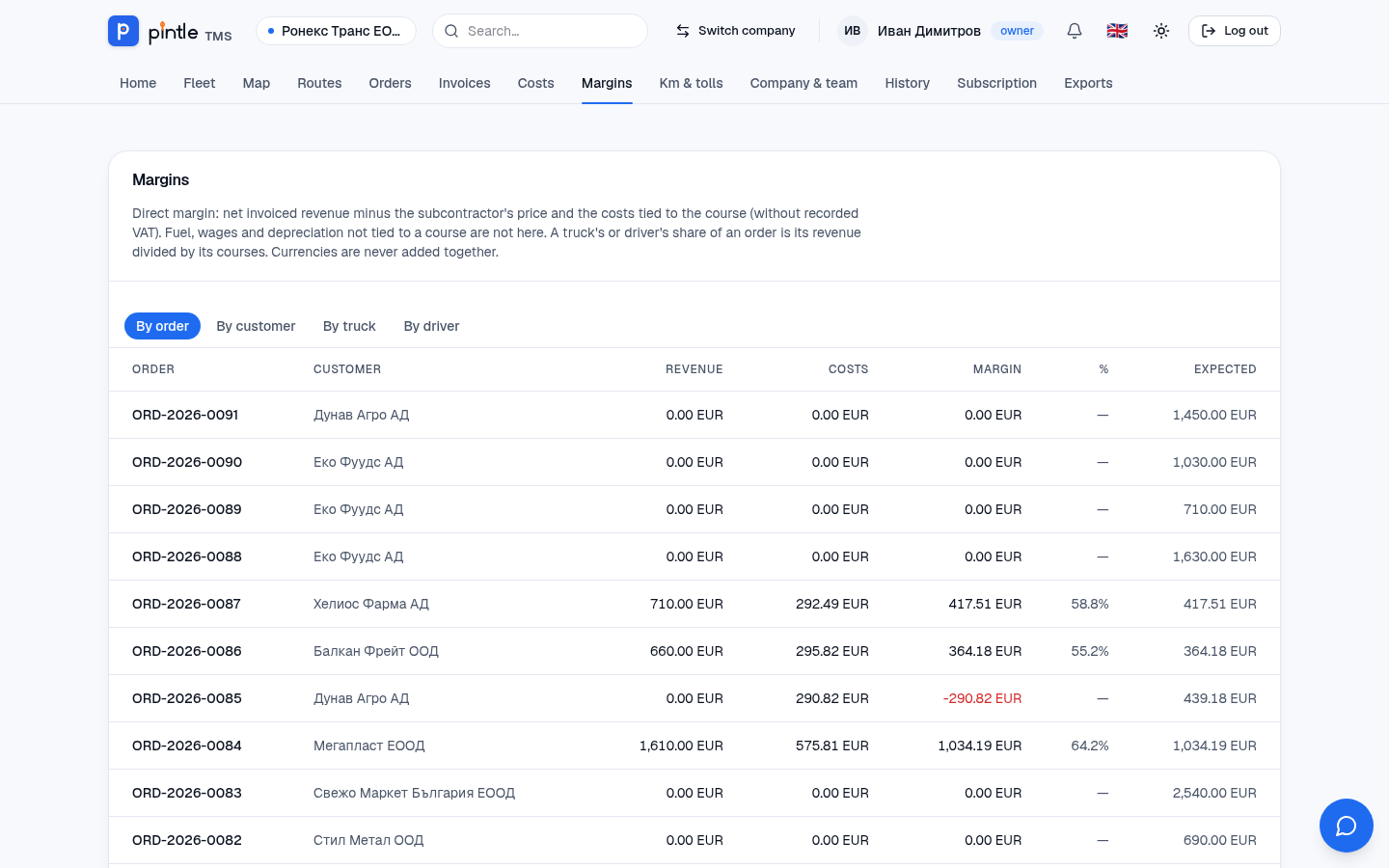
Margins shows the real profit. Margin is the net invoiced income minus the price of the subcontractor and the costs tied to the course (without VAT). The overview has four points of view:
- By order — how much each order earns.
- By customer — which customers bring profit.
- By truck — which vehicle earns and which costs more than it brings.
- By driver.
The Expected column shows what is left if the agreed price of the not yet invoiced orders is collected.