
Subscription and payment
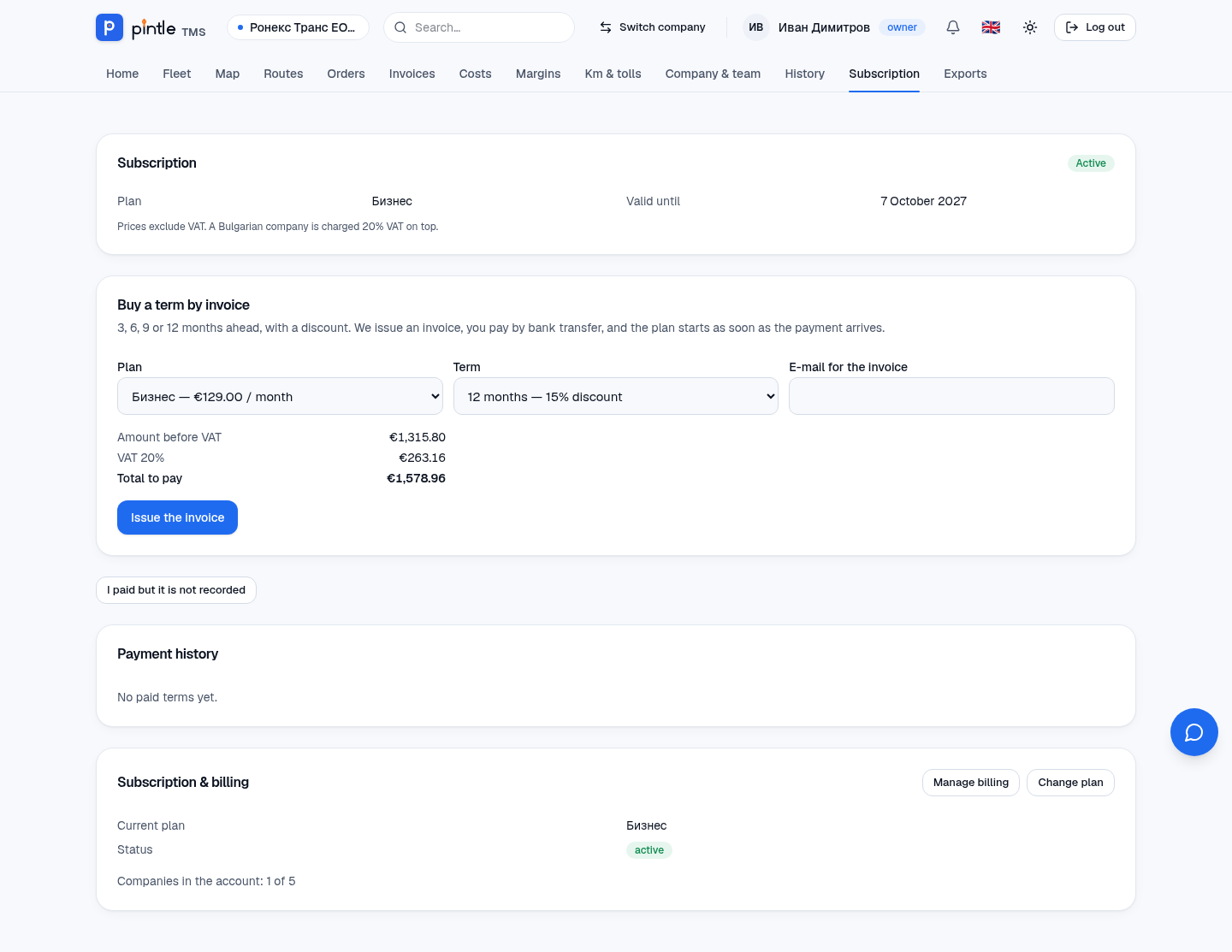
Prices are in euro without VAT. For a company in Bulgaria 20% VAT is added.
| Free | Start | Business | Pro | Unlimited | |
|---|---|---|---|---|---|
| Price per month | €0 | €49 | €129 | €349 | by agreement |
| Vehicles | 5 | 10 | 30 | 100 | no limit |
| Drivers | 5 | 12 | 36 | 120 | no limit |
| Office users | 5 | 5 | 10 | 20 | no limit |
| Companies in the account | 1 | 3 | 5 | 5 | 10 |
| Storage | 5 GB | 50 GB | 200 GB | 1 TB | no limit |
| Reading from a photo (per month) | by hand | 200 | 1,000 | 5,000 | no limit |
| E-mail notifications | no | yes | yes | yes | yes |
The current limits and prices are at pintletms.eu.
How a term is bought
Section titled “How a term is bought”- Open Subscription (owner only).
- In Buy a term by invoice choose the Plan and the Term: 3, 6, 9 or 12 months with a discount of 5%, 10%, 12% and 15% respectively. See the amount without VAT, the VAT and the total.
- Enter the e-mail for the invoice and press Issue invoice.
- Pay by bank transfer to the account on the invoice, giving the invoice number in the reference and the exact amount.
- As soon as the payment is received, the plan starts. A matching payment is recorded automatically; if something does not match, the platform handles it by hand.
If you have paid but the payment has not been recorded yet, press I paid but it is not recorded and describe the transfer — we get a notification and check it.
Reminders and expiry
Section titled “Reminders and expiry”- 15 days before the end you get an invoice for the renewal (unless you turned automatic renewal off).
- 7 and 1 days before the end — a reminder in the application and by e-mail.
- After expiry there is a grace period (a bar with a warning), then a read-only period — everything can be seen but nothing changed. The data is not lost. A payment brings full access back at once.
Changing the plan
Section titled “Changing the plan”An upgrade is made with an invoice for the difference for the remaining term. A move to a lower plan takes effect at the end of the period.
Several companies in one account
Section titled “Several companies in one account”One paying account can hold more companies (according to the plan); the limits for vehicles, drivers and users are shared by all of them. A new company is added from Switch company → Add a new company.