
First steps
You need about an hour and your company’s details. Go through the steps in order.
-
Register. At pintletms.eu choose “Register”, enter a name, an e-mail and a password (at least 8 characters) and accept the Terms of Service. You get an e-mail with an activation link. You can also sign in with Google.
-
Fill in the company’s details. In the Company & team menu press Edit: name, company ID, VAT number, country, address, e-mail and phone. These details go into every invoice and document.
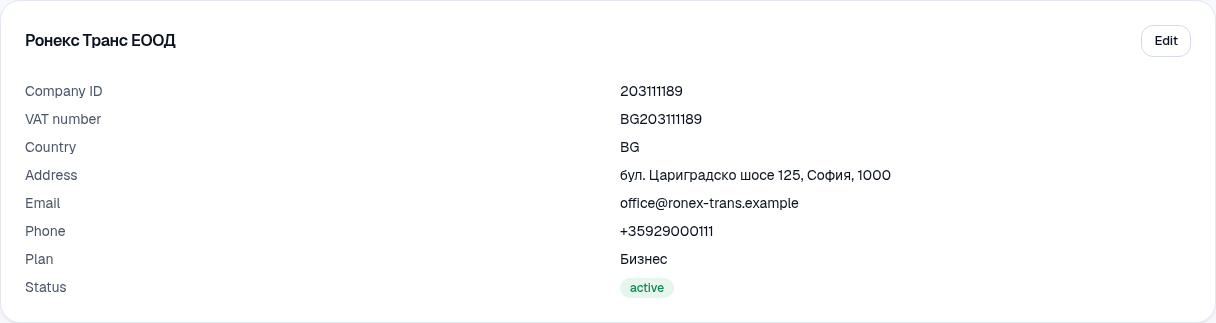
Company & team: the company's details. -
Enter your bank details. In the Bank details card (below the company’s details) enter the IBAN and the bank. They are printed on every invoice you issue and are visible only to the owner. The IBAN is checked when you save.
-
Add the fleet. From Fleet press Add. You can fill in the data by hand or upload a photo of the registration certificate and let the system read it. See Vehicles and trailers.
-
Invite the team. In Company & team → Team invite a dispatcher, a manager or an accountant by e-mail. Each gets an e-mail and sets their own password.
-
Invite the drivers. In Company & team → Drivers enter a name, a phone number and a language. The driver gets an SMS and signs in with their phone — no password. See Drivers.
-
Make the first order. From Orders → New order. See Orders and courses.
What the free plan includes
Section titled “What the free plan includes”The free plan is for trying the system: up to 5 vehicles, 5 users and 5 drivers, 5 GB of documents and manual entry of documents. The larger plans add more trucks and drivers, recognition from a photo and e-mail notifications. See Subscription.